I found some awesome Android Studio Plugins to help develop apps faster, manage project resources, and create better code.
Installing Plugins
The installation process is the same for all plugins:
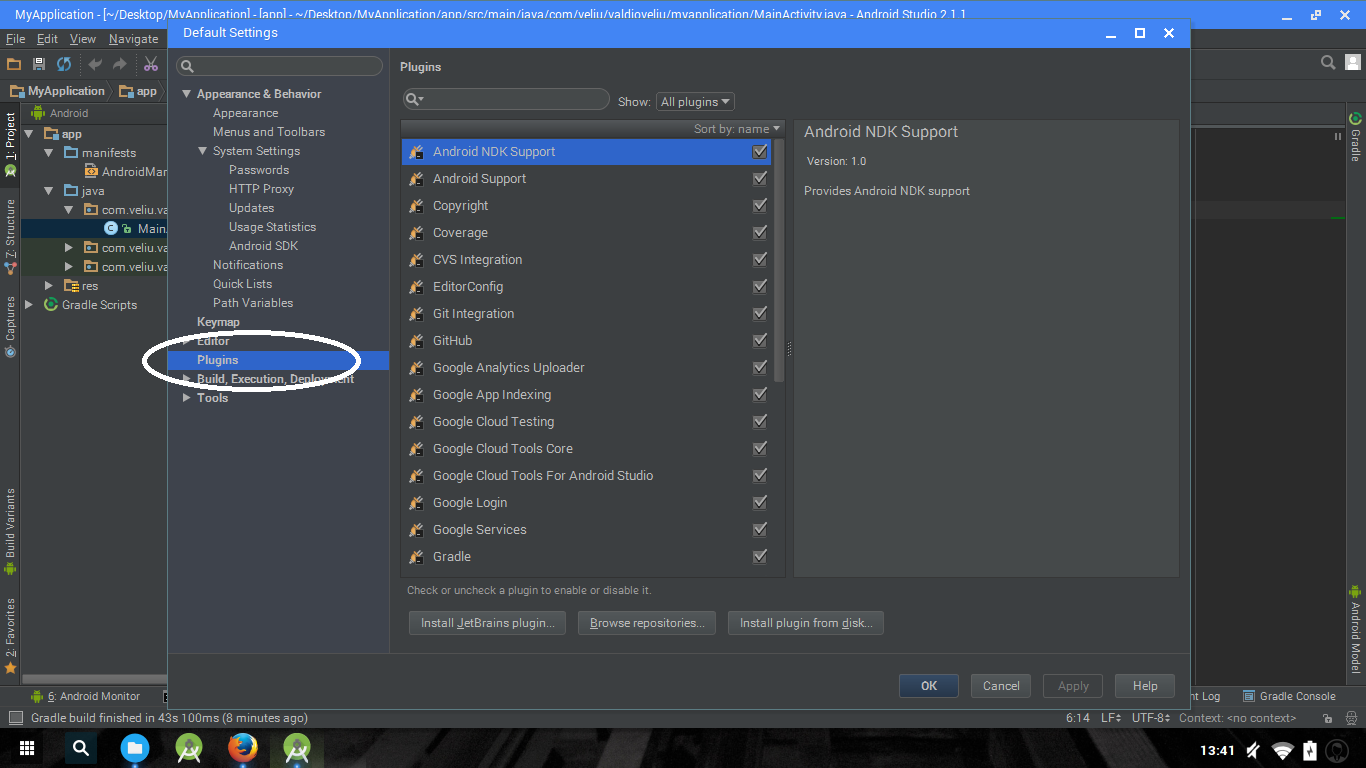
2. Open the Plugins section.
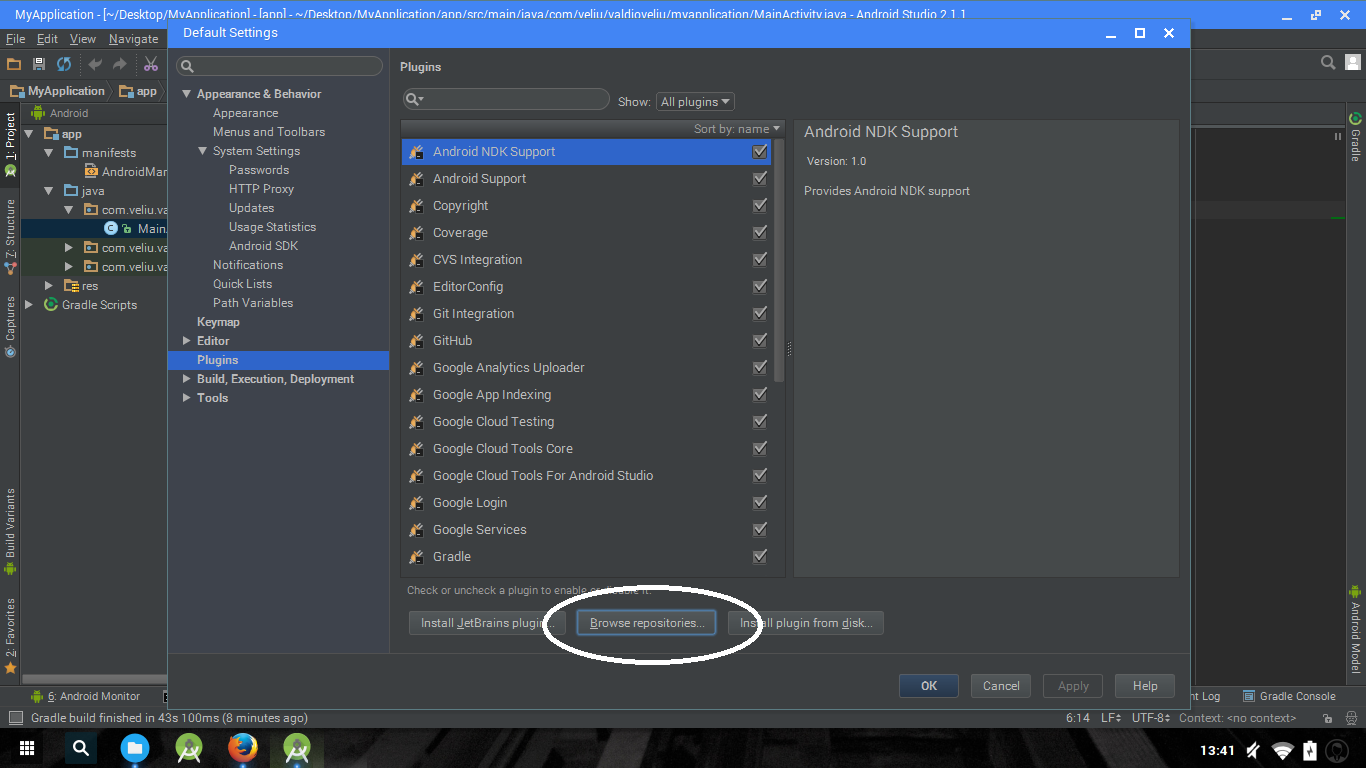
Click Browse repositories to load the full list of IntelliJ IDEA Plugins.
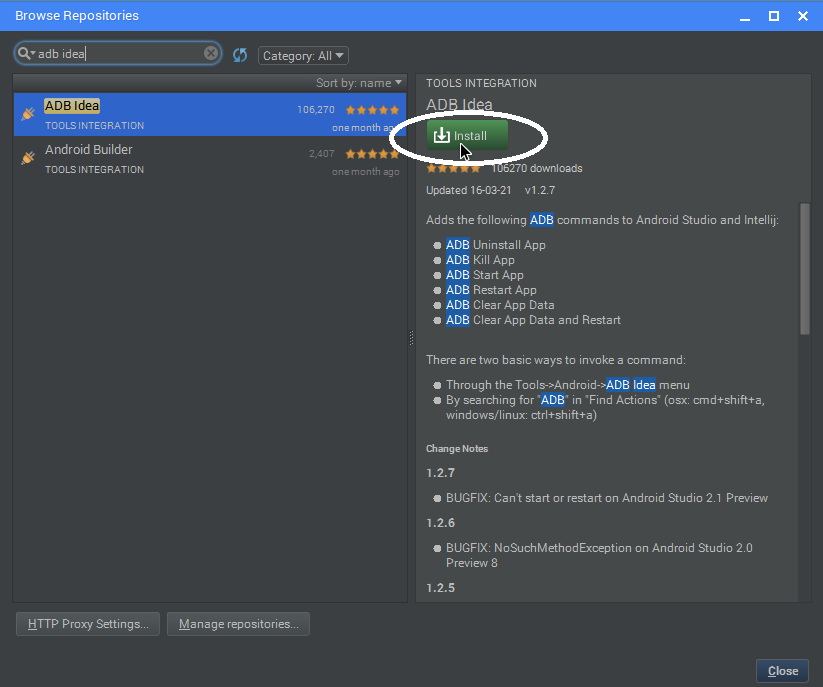
Search for the name of the plugin, and click install.
Restart Android Studio after the installation completes.

Search for the name of the plugin, and click install.
Restart Android Studio after the installation completes.
1. Generate Parcelable Objects
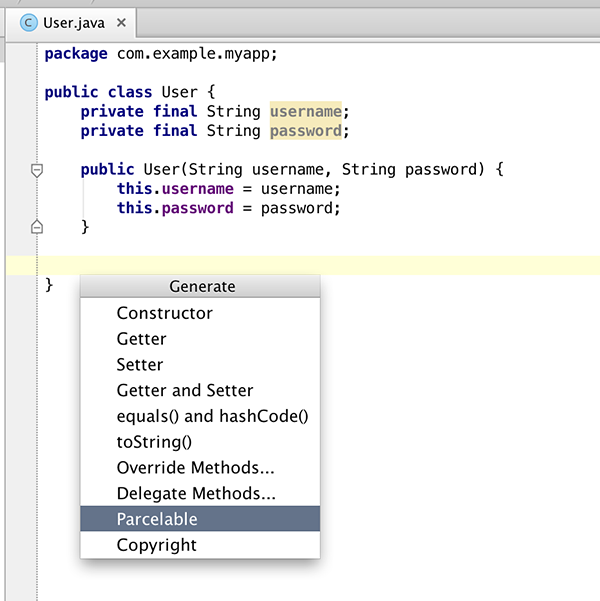
At some point during app development, you will have to deal with Parcelable objects in java. Parcelable objects send data to different components of an application, system components, or other applications installed on the device. When an app needs Parcelables, developers need to build them manually, or can use the Parcelable boilerplate code generation tool to generate an implementation based on fields of the Parcelable class.
2. ADB Commands
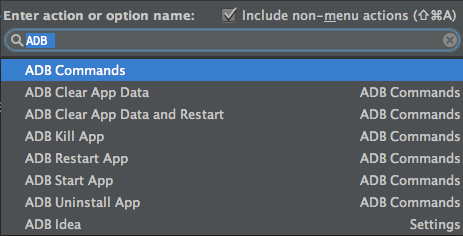
ADB Idea aims to speed up the day of an Android developer by giving access to crucial terminal commands. I found this tool helpful after the release of Android Studio 2.0, and the addition of Instant Run. Whilst it’s a great feature, sometimes the quick build doesn’t pick up small changes and you have to rebuild and reinstall the project. This makes quick access to ADB commands invaluable.
3. ADB over Wifi
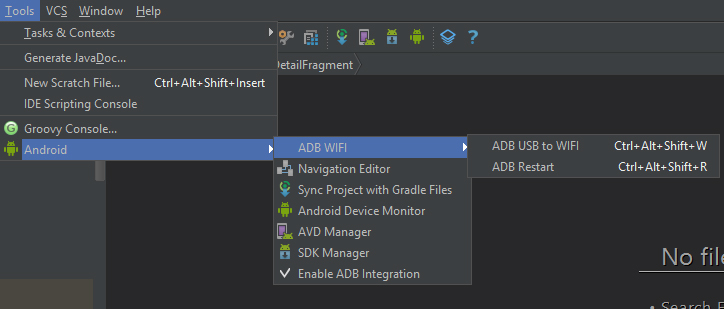
This is simple plugin that let’s you debug Android apps over Wi-Fi, which is pretty cool if you ask me.
4. Minimap
If you have used editors like Sublime, CodeGlance might be what you need to make your IDE more enjoyable and easier to navigate large class files.
5. Convert SVG to Android Vectors
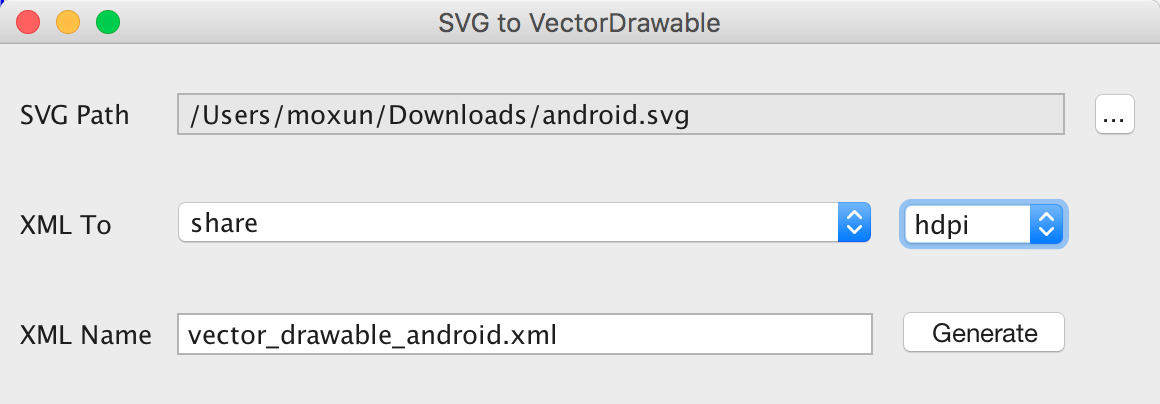
The mindset change of Material Design bought new approaches towards app icons, logos and static images. Asset formats changed from traditional image formats (.png, .jpg, etc …) to Vector Drawables. The SVG2VectorDrawable plugin let’s you convert SVG images to vector drawables (i.e. .xml files) so you can use them as layout drawables.

Không có nhận xét nào:
Đăng nhận xét